Showing posts with label ip camera. Show all posts

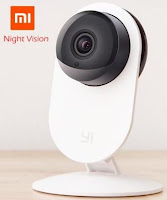
Xiaomi XiaoYi IP Camera Review

Xiaomi XiaoYi IP Camera Review

Like so many manufacturers now, Xiaomi has its own mini P2P IP cameras called XiaoYi. I tried their "Night Edition"...


Dear reader: 
As this product features a mix of English and Chinese, 
so will my review. 對不起了這種不便。


This XiaoYi IP camera features the following: 
720P高清分辨率
111°广角,4倍变焦 
双向语音通话 
红外夜视, which is very good for such a small device. 
I was lucky enough to receives the 夜视版 so there are LED's surrounding the lens and allowing a comfortable vision at night. It is worth noting that a 标准版exists for a few  less.

Many brands now use that form factor with very little, if any, change in the hardware. What really makes the difference is the quality of the smartphone software provided.


Setting up the camera


The QR codes found in the Chinese-only printed manual are pointing at apps in Chinese. The most complete one is the SmartHome app called "Small Ants Camera app" (IOS version is available on iTunes).


Once installed, the XiaoYi camera app
can be used to register the camera to the local network: You just need to show a QR to the camera to transmit the router information.

Rather than using beep prompts to indicate the reception of the QR code, the XiaoYi uses pre-recorded voice messages in Chinese (very good sound quality from the speaker by the way), but there's no need to understand the language to find out when the camera is configured: the LED will go from blinking to steady.

As for other brands I tried, the app will then detect and install any new firmware and software version available. (firmware 1.8.5J_201507201424 and app 1.8.3_20150806 updated during the review)

The interface is intuitive but also limited: you can turn on the motion detection but cannot set the sensitivity. You can enable the motion alert, but not setup an email recipient (mobile phone notification only).


Video and Audio quality
The XioaYi is equipped with the very popular Hi3518 chipset and not only displays the video stream in 720P BUT also record in this resolution, many models I've seen lately record only in 640*340!
The 2-way audio is also very good with a clear and loud output quality from the speaker and a very sensitive microphone. This could actually allow for a true 2-way communication experience!
... rare enough!


RTSP Streaming: 
These URL's are supposed to work with the Xiaomi XiaoYi
http://www.ispyconnect.com/man.aspx?n=xiaomi
Main stream:   rtsp://<ipaddr>:554/ch0_0.h264
Second stream:rtsp://<ipaddr>:554/ch0_1.h264

I could not make this work (only port 80 was detected by port scanner, not serving any valid http or rtsp content).
According to the Xiaomi forum, rtsp support might depend on the firmware installed (I'm using the latest official).


Conclusion:
The XiaoYi is a nice little camera in all aspects, easy to set up, compact and with a stable articulated base.
However, the main difference with the competition resides in the mobile apps. On this ground, the Xiaomi is still slightly behind its rivals.

All the similar devices likes Ant QF605 (Escam/Amovision), Zmodo, or Eyesight ES-IP810W are bound to different sets of device ID's so the app are not interchangeable. I tried the Escam apk without success (reviews on the web are in favor of Xiaomi anyway) and I would have loved to use the better EyeSight app.

Gearbest has the night-vision version for 31.99$. Be aware of their second reference which is likely the "standard version"(no night-vision).

For about the same price, the EyeSight ES-IP810W is a better deal in my opinion (See the review here).


Good: 

- Stable hardware
- Quality feeling
- Great picture quality
- Great sound in and out (speaker is loud and clear)
- Easy to setup despite the voice prompts in Chinese.
- Help available from product forum (Mi Gadgets  section): http://en.miui.com/forum-52-1.html

Not so good:
- No email notification for motion detection
- RTSP streaming not working with the firmware tested.
- Social features (Weibo, QQ) and Q&A aimed at Chinese market.


Special thanks to Lindell @ GearBest for providing the sample reviewed here.


Read More

Wanscam HW0026 IP Camera Review

Wanscam HW0026 IP Camera Review
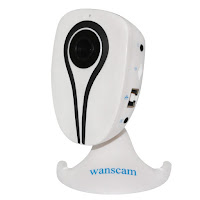
The Wanscam HW0026 is a cheap and tiny Wi-Fi IP Camera with many qualities, and with the rare particularity to be directly and fully compatible with Synology Surveillance Station!


I have never tried a Wanscam IP Camera before so I was curious to see if it would be any different from the crowd.

In the box:
The compact packaging contains the camera and a full set of accessories: plastic bracket, mounting screws, LAN cable, a 5V/2A power adapter (with a short 1m cord), a CD-ROM and a startup leaflet.


Design:
The light plastic casing is not the most practical. Since all the connectors are located on the side and camera is so light (about 100gr), it can be difficult to keep it from sliding off its intended position due to the rigidity of the cables. I used some Blu Tack gums to keep it in place. The provided screws can of course be used for a more permanent mounting.

Setting up:
The setup process consists in plugging it to the LAN first and running the IPCameraTool.exe provided on the CD-ROM to locate its temporary IP address. I use the Fing app instead to detect the device on my LAN. The Wi-Fi connection can then be configured from the user interface.


P2P but not only:
Most recent IP Cameras use the simplicity of P2P and some can only be configured once a link with the Cloud has been established.
While the HW0026 offers the P2P convenience, it is not a requirement to use the camera fully.
Those who don't like/need uncontrolled port punching into their LAN firewall from outside can set up the whole network aspect manually through the embedded web interface.

Don't get me wrong, the P2P mechanism is quite safe, but true geeks are just a little paranoid and like to have everything under their control...

Synology SS7 compatibility:
I always first test any new IP Camera with my Synology Surveillance Station.
The HW0026 connected straight away as an Onvif 2.1 device and streamed the HD video as well as the audio! The vast majority a low cost cameras I tried failed to achieve this exploit, except for an early version of the Tenvis IP Robot 3.


Video:
The Hi3518E is in charge and, as usual, guarantees a sharp and clear picture even in the dark. There's a ring of tiny but strong IR LED's around the lens. The Web and mobile interfaces allow the full control of the sensor, including the IR LED mode (auto/on/off)


As for most Hi3518E devices, the rtsp streaming goes through these URL's
rtsp://<ip address>:554/11 -> 720P resolution 
rtsp://<ip address>:554/12 -> VGA  


Audio:
The incoming sound from the microphone is clear and interference-free. An external speaker needs to be plugged for 2-way audio.

Usage:
The camera offers 2 user interfaces: The the neat smartphone app E-View7 (Android, iOS), and the embedded web interface, slightly more confusing in its layout but also more complete.
Some advanced options are found here only, like the motion detection areas, the definition of masks to hide some parts of the picture, or the Onvif parameters.
The English interface would require some attention but remains far better than the other languages that are bad automated translations.

The videos recorded on the Micro-SD card can be played back using either interface.

Downloading the .avi videos and pictures can be done from http://<ipaddr>/sd/.


Despite its small size, I found the Wi-Fi range pretty good and comparable to bigger cameras.
The HW0026 has been stable during my week-long 24/7 test. It was placed within 15m of the nearest Wi-Fi access point.


Conclusion:
The Wanscam HW0026 is exceptionnaly good and complete for its price. Certainly the most complete and operational I've seen in that price range so far (38.88$/36.31€).

It will please noobs and techies alike with its excellent mobile phone interface (through the E-View7 app) and its complete web interface (Many recent P2P low cost IP Cams just dropped the HTTP service).

Last but not least, the ONVIF 2.1 implementation is done right enough to please even the picky Synology Surveillance Station, allowing the full support of HD video and audio streaming!

Wanscam has a limited range of Onvif cameras but I expect their upcoming PTZ version HW0041 to be as good.


Good:
- Easy set up
- Can be managed via Android/iOS app or Web Interface
- Optional P2P feature
- Good Onvif compatibility (Synology SS7 with audio support)
- Good Wi-Fi range


Not so good:
- Very short power adapter cord (easily replaced with any another 5V/2A adapter)


Read More

IP Camera and Home Security Kit: EyeSight ES-IP805AWKIT

IP Camera and Home Security Kit: EyeSight ES-IP805AWKIT
Some manufacturers started combining their IP Cameras with home security accessories. EyeSight has one with a price as low as 66€!

How good is it?


The home safety kit from EyeSight is sold as
ES-IP805AWKIT for 66€.
The camera alone, ES-IP805AW , is sold for 65€!
So for 1€ extra, the choice is obvious!

Product highlights:

Hi3518E, 1.0 megapixel CMOS
Echo Cancellation,noise suppression, unique voice engine technology, Noise suppression
H.264 compression.
Cloudlink P2P network transmission technology: automatically change the stream, suitable for various network environment.
Smart card slot, remote view.
Multi-Path Transmission (Patented Technology): where P2P can not connect directly, video and audio can use other P2P equipment as relays.
Support IOS,Android system.

Overview:
The kit contains one door sensor, with a 12v battery already inserted, and one PIR detector with its 3 AAA batteries also provided. It can be also powered via its MicroUSB connector.

To receive the signal from the detector, the telescopic HF antenna must  be plugged into the Audio port of the camera.

Also provided are: mounting accessories, power adapter, RJ45 cable and a user's manual.


User interface:
It became the trend for many p2p cameras to rely on a smart phone application rather than a web interface. It is not a bad thing especially when, like here, it provides a much better user experience than a web interface. ES-IP805AW is managed by Phonescam which is identical and interchangeable with 2CU (used by the tiny ES-IP810W reviewed earlier) or V-Cam
(See also: www.ipupnp.com and p2pcam.so )


The setup process requires the registration of an account, which can be used thereafter for any additional camera of the same family.

The next step is to register the camera itself. For this model, this can be done in 2 of the 4 ways presented. (a Smart key is not provided and it does not seem to support the Smart Scan, whereas the camera reads a QR code displayed on your smartphone screen). 
Lan Scan: let the camera be detected on the local network

Manual: Enter manually the device ID and password 


Viewing Options
The best experience is obtained with the smartphone application.
An ActiveX-based viewer can be used online at http://cloudlinks.cn/view, and PC program is also available, but they're both quite dodgy.

The camera can store its recording on a microSD memory. The captures can be viewed from the smartphone app. If taken straight from the memory card, GPlayer is required to read the proprietary video file format (.av) recorded.

The port scanning reveals 2 services: 554 for rtsp and 5000 for upnp/ONVIF (again not compatible with Synology). These can be used with many 3rd party viewers. 


The HI3518 chipset in this camera is capable of 720P (1280*720) resolution. In reality, this is only effective in the mobile app's live view, if HD mode is selected. Videos and snapshots are always stored in 640x360. The streaming shows the same limitation although there must be a way to stream in HD since the app does it.
rtsp://192.168.1.106:554/onvif1 (640x360)
rtsp://192.168.1.106:554/onvif2 (320x180)

The home security kit:
A PIR detector and a Door Sensor are provided in the box and need to be registered through the mobile application.
The process is not overly complicated but there is no documentation on the process, so here is how to do that:

Once the camera has been registered, touching anywhere beside the preview thumbnail brings a mini-menu, select "Settings"
Then select Defense Area and choose a category of sensor to register. 
A prompt appears asking to press OK and then trigger the sensor. In the case of the door sensor, this means moving the magnets away from each other. For the PIR detector, just move in from of it. The app will confirm the "successful learning". 


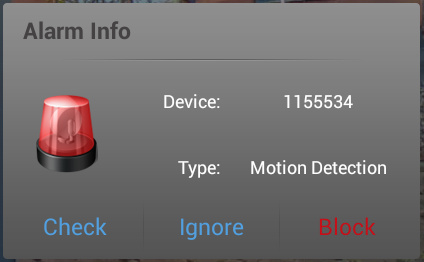
From that moment, the registered sensors will be reporting any detection event to the camera which will trigger an alarm accordingly with the indication of its origin on screen and in the Alarm logs. The motion detection can be set to sound a ringtone of your choice and/or send an email. 
If there are too many alerts on a short period of time, the program will itself limit the quantity of emails sent. 


Additional Sensors (?)
The camera can handle many sensors, including a remote control, but the EyeSight does not indicate where to get them.
While I didn't test them, there's a good chance that such generic and inexpensive accessories found on eBay would do the job:
Door sensor  
PIR sensor
RF Remote 
I tested one of my old DS10A (X10 Door Sensor) and it works, but the MS10A (X10 PIR Sensor) would not. 

Online Updates (OTA)
On-line update are done via the smartphone application for both the device and the app. It is a very straightforward and safe process.


Conclusion:
For 66€ at Gearbest, the ES-IP805AWKIT from EyeSight is a very affordable bundle for securing a place beyond the traditional visual detection. The complete and easy to use smartphone interface makes this camera kit an ideal choice for non-techies. 


Pros:
- Easy to to set up 
- Online updates for firmware and application
- Neat Mobile app, clean and intuitive.
- Good microphone sensitivity
- Great audio quality

Cons:
- Poor documentation: Have to find out yourself how most features works. This is however balanced by the intuitive user interface. 
- No position presets for PTZ 
- Videos are not saved in HD (640x360)


Read More